Infrastructure as Code (IaC) with Terraform on AWS
Clicking in the AWS Console is prone to human error and cannot be reviewed or version controlled. Terraform allows you to define your entire AWS infrastructure declaratively in code, store it in Git, and…
Lesson 16 of 26 · Module: AWS
22 min read · Source notes — Terraform Architecture & Commands
Clicking in the AWS Console is prone to human error and cannot be reviewed or version controlled. Terraform allows you to define your entire AWS infrastructure declaratively in code, store it in Git, and deploy it reproducibly.
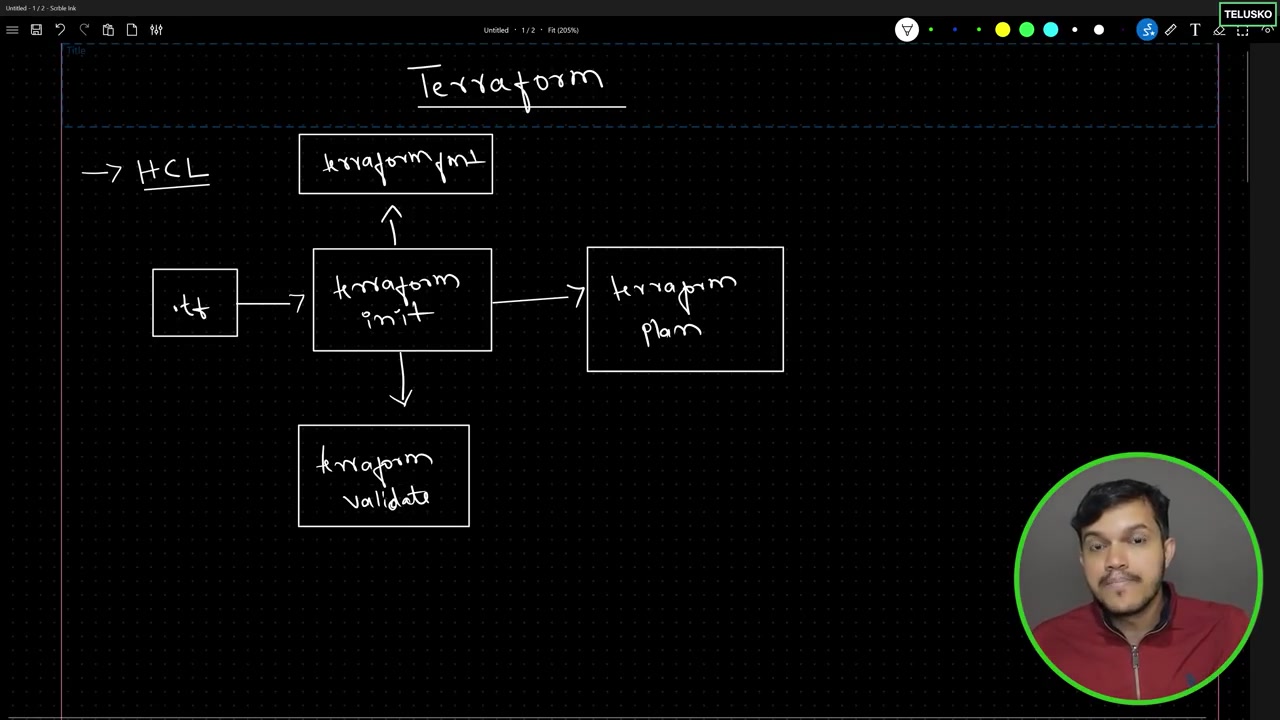
Instructor explaining terraform core, state file, and provider plugins communicating with AWS APIs.
1. The Core Terraform Workflow
| Command | What It Does Under the Hood |
|---|---|
terraform init | Initializes working directory, downloads required provider plugins (e.g., hashicorp/aws), configures backend. |
terraform plan | Compares desired code state with actual cloud state (read from terraform.tfstate) and outputs exact diff. |
terraform apply | Executes the planned changes against the AWS API to create, modify, or delete resources. |
terraform destroy | Tears down and deletes all resources tracked in the state file to avoid runaway cloud costs. |
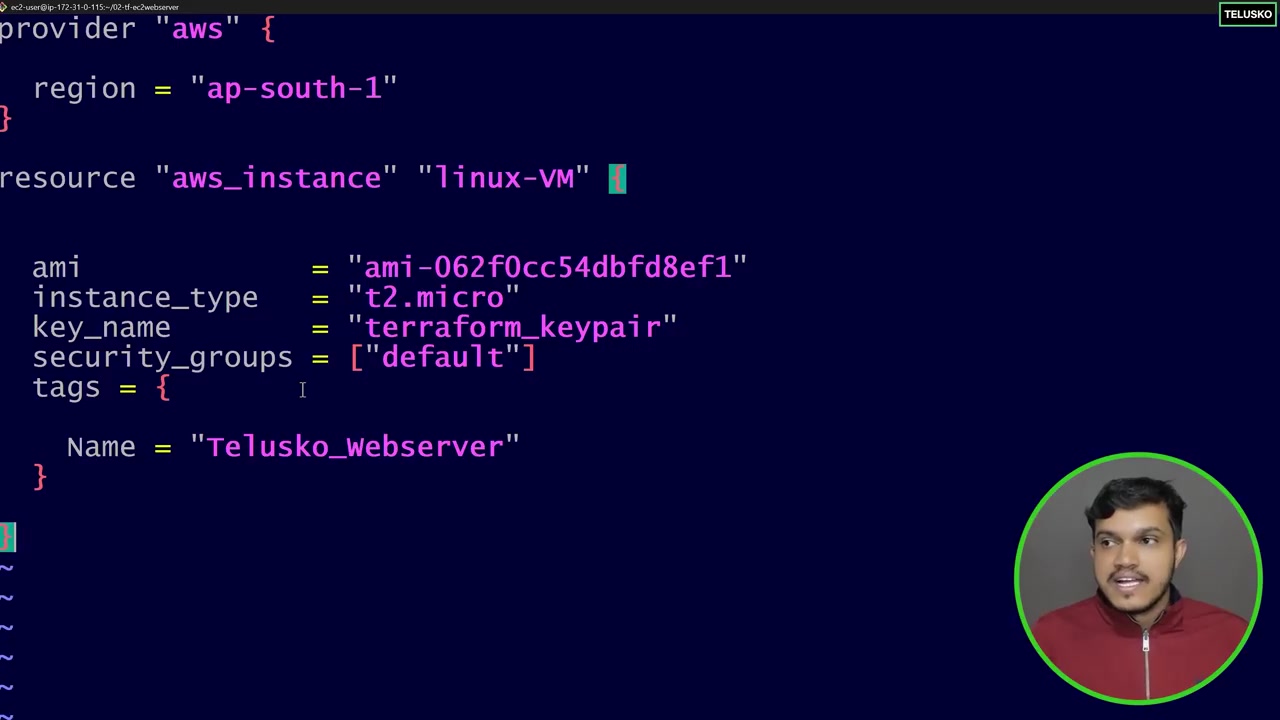
Writing HCL resource definitions for aws_instance with dynamic user_data scripts.
2. Complete Production Terraform Script (main.tf)
Declarative AWS Architecture: EC2 + Security Group + S3 Bucket
terraform {
  required_version = ">= 1.5.0"
  required_providers {
    aws = {
      source  = "hashicorp/aws"
      version = "~> 5.0"
    }
  }
}

provider "aws" {
  region = "us-east-1"
}

# 1. Security Group for Web Server
resource "aws_security_group" "web_sg" {
  name        = "web-server-sg"
  description = "Allow inbound HTTP and SSH traffic"

  ingress {
    description = "SSH from anywhere (restrict in prod!)"
    from_port   = 22
    to_port     = 22
    protocol    = "tcp"
    cidr_blocks = ["0.0.0.0/0"]
  }

  ingress {
    description = "HTTP web traffic"
    from_port   = 80
    to_port     = 80
    protocol    = "tcp"
    cidr_blocks = ["0.0.0.0/0"]
  }

  egress {
    from_port   = 0
    to_port     = 0
    protocol    = "-1"
    cidr_blocks = ["0.0.0.0/0"]
  }
}

# 2. EC2 Instance Provisioning
resource "aws_instance" "app_server" {
  ami           = "ami-0c7217cdde317cfec" # Ubuntu 22.04 LTS us-east-1
  instance_type = "t3.micro"
  vpc_security_group_ids = [aws_security_group.web_sg.id]

  user_data = <<-EOF
              #!/bin/bash
              apt update -y
              apt install -y nginx
              echo "Provisioned by HashiCorp Terraform!" > /var/www/html/index.html
              systemctl start nginx
              EOF

  tags = {
    Name        = "Production-WebServer"
    Environment = "Prod"
    ManagedBy   = "Terraform"
  }
}

# 3. S3 Bucket for Static Assets
resource "aws_s3_bucket" "assets_bucket" {
  bucket = "company-app-assets-prod-2026"

  tags = {
    Environment = "Prod"
  }
}

output "instance_public_ip" {
  description = "Public IP address of the deployed EC2 instance"
  value       = aws_instance.app_server.public_ip
}
Keep going: ← Lesson 15 · Lesson 17 → · Module overview · Track it in the Self Guide
Finished this one?
Part of Self Guide · Stage 5: AWS fundamentals. Progress is saved in this browser.