Processing image data for Deep Learning
Neural network එකකට JPEG file එකක් කෙලින්ම කියවන්න බෑ. මේක තමයි ඒ පාලම — raw image files, model එකකට process කරන්න පුළුවන් numeric arrays බවට හරවනවා, tabular data එකට Pandas ඉටු කරපු ම role එකම.
A neural network can't read a JPEG file directly. This is the bridge — turning raw image files into numeric arrays a model can actually process, the same role Pandas played for tabular data.
Lesson 62 of 64 · Part 5 · Shipping Models to the World · DL 2. Image Data Processing · bilingual notes (English + සිංහල)
Why this matters. A neural network can't read a JPEG file directly. This is the bridge — turning raw image files into numeric arrays a model can actually process, the same role Pandas played for tabular data.
සිංහලෙන්: Neural network එකකට JPEG file එකක් කෙලින්ම කියවන්න බෑ. මේක තමයි ඒ පාලම — raw image files, model එකකට process කරන්න පුළුවන් numeric arrays බවට හරවනවා, tabular data එකට Pandas ඉටු කරපු ම role එකම.
What you'll use this for. Every image-based project after this — including the Dog vs Cat classifier next — depends entirely on this exact pre-processing step being done correctly.
සිංහලෙන්: මින් පස්සේ එන image-based project ඕනම එකක් — ඊළඟට එන Dog vs Cat classifier එකත් ඇතුළුව — මුළුමනින්ම රඳා පවතින්නෙ මේ pre-processing step එක හරියට කරනවා කියන එක උඩ.
Key principles
- Every image becomes a grid of numbers — an image is just a very structured matrix. A colour image is really three overlapping grids of pixel brightness values (red, green, blue) — resizing and normalizing these grids is what this lesson is about.
Image ඕනම එකක් numbers grid එකක් වෙනවා — image එකක් කියන්නෙ ඇත්තටම ගොඩක් structured matrix එකක් විතරයි
Walkthrough
Image data processing - conceptual video: https://youtu.be/Hs5RhjpQVRo
Topics:
- Reading an image file and converting it to a numpy array
- Resizing an image
- RGB to Grayscale conversion
# getting an image using web get

!wget 'https://tractive.com/blog/wp-content/uploads/2016/04/puppy-care-guide-for-new-parents.jpg'
Output
--2022-03-17 15:37:15--  https://tractive.com/blog/wp-content/uploads/2016/04/puppy-care-guide-for-new-parents.jpg
Resolving tractive.com (tractive.com)... 54.192.18.89, 54.192.18.83, 54.192.18.105, ...
Connecting to tractive.com (tractive.com)|54.192.18.89|:443... connected.
HTTP request sent, awaiting response... 200 OK
Length: 113570 (111K) [image/jpeg]
Saving to: ‘puppy-care-guide-for-new-parents.jpg’

puppy-care-guide-fo 100%[===================>] 110.91K   382KB/s    in 0.3s

2022-03-17 15:37:16 (382 KB/s) - ‘puppy-care-guide-for-new-parents.jpg’ saved [113570/113570]
Libraries that can be used for image processing:
-
matplotlib.image
-
Pillow
-
OpenCV (cv2)
# importing the image module from matplotlib library

import matplotlib.image as mpimg
import matplotlib.pyplot as plt# loading an image through matplotlib.image module
img = mpimg.imread('/content/dog.jpg')type(img)Output
numpy.ndarrayprint(img.shape)Output
(1365, 2048, 3)print(img)Output
[[[147 182   0]
  [147 182   0]
  [147 182   0]
  ...
  [128 148   0]
  [128 148   0]
  [128 148   0]]

 [[146 181   0]
  [146 181   0]
  [147 182   0]
  ...
  [128 148   0]
  [128 148   0]
  [128 148   0]]

 [[145 180   0]
  [145 180   0]
… (31 more lines)# displaying the image from numpy array
img_plot = plt.imshow(img)
plt.show()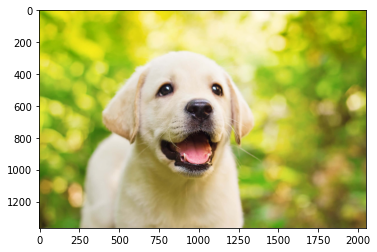
Resizing the image using Pillow library
from PIL import Imageimg = Image.open('/content/dog.jpg')
img_resized = img.resize((200, 200))img_resized.save('dog_image_resized.jpg')# displaying the image from numpy array
img_res = mpimg.imread('/content/dog_image_resized.jpg')
img_res_plot = plt.imshow(img_res)
plt.show()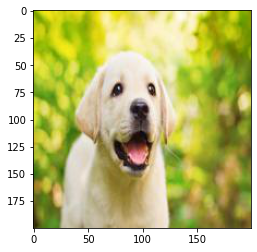
print(img_res.shape)Output
(200, 200, 3)Converting RGB images to Grayscale image using OpenCV
# importing OpenCV library
import cv2img = cv2.imread('/content/dog.jpg')type(img)Output
numpy.ndarrayimg.shapeOutput
(1365, 2048, 3)grayscale_image = cv2.cvtColor(img, cv2.COLOR_RGB2GRAY)type(grayscale_image)Output
numpy.ndarraygrayscale_image.shapeOutput
(1365, 2048)cv2.imshow() will display the image. But this will not be allowed in Google Colab.
from google.colab.patches import cv2_imshow
from google.colab.patches import cv2_imshow# displaying the image
cv2_imshow(grayscale_image)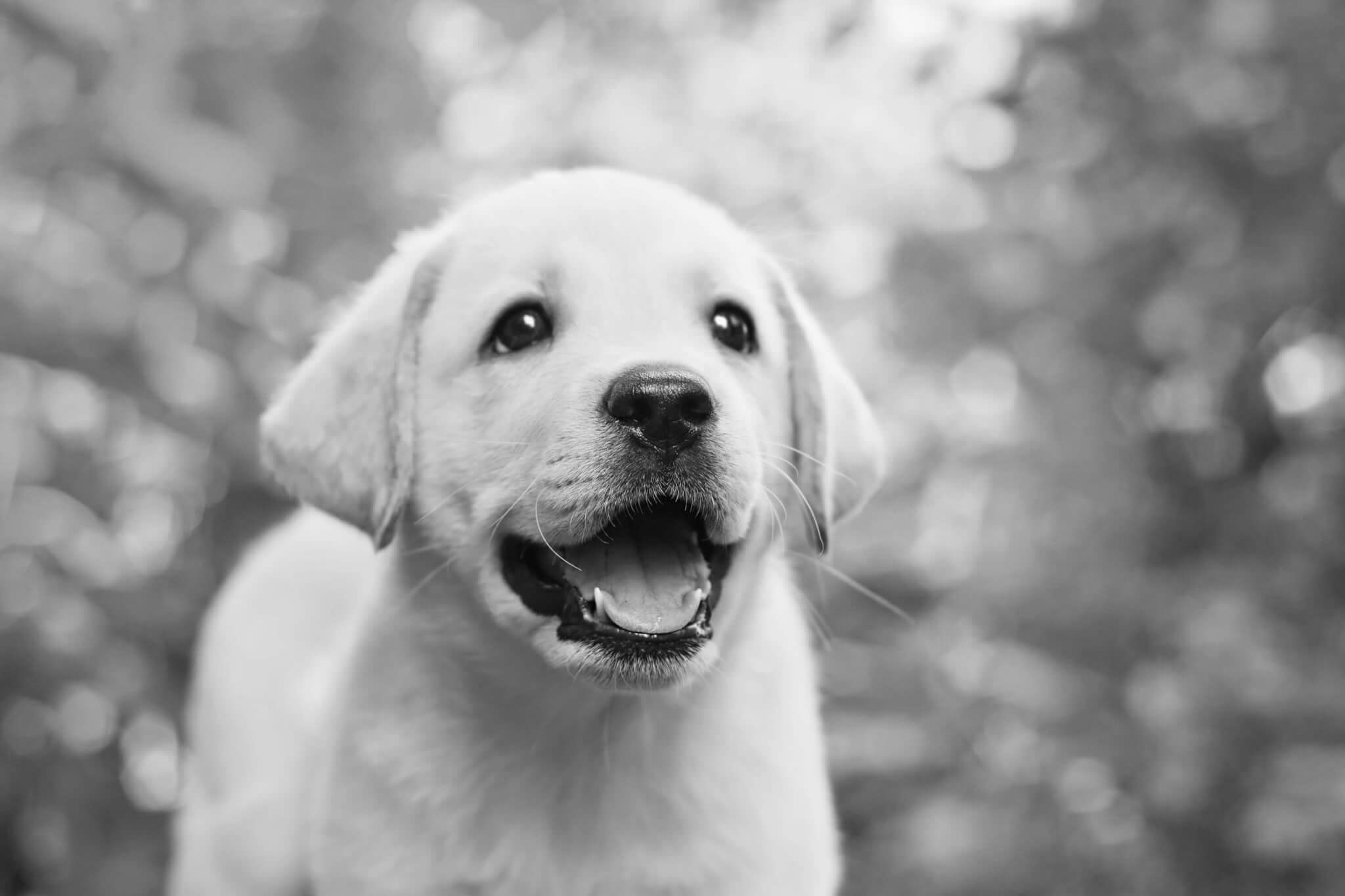
# saving the grayscale image
cv2.imwrite('dog_grayscale_image.jpg', grayscale_image)
Output
TrueKeep going: ← Lesson 61 · Lesson 63 → · Track it in the Self Guide
Finished this one?
Part of Self Guide · Stage 17: ML 5 — Shipping Models to the World. Progress is saved in this browser.



