Sinhala Creator Tools: A Teleprompter, a Lesson Board and 270 Legacy Fonts
Offline single-file tools for Sinhala creators — and how Helakuru Studio stores Unicode but derives FM-ASCII bytes and exports font-free vector SVG.
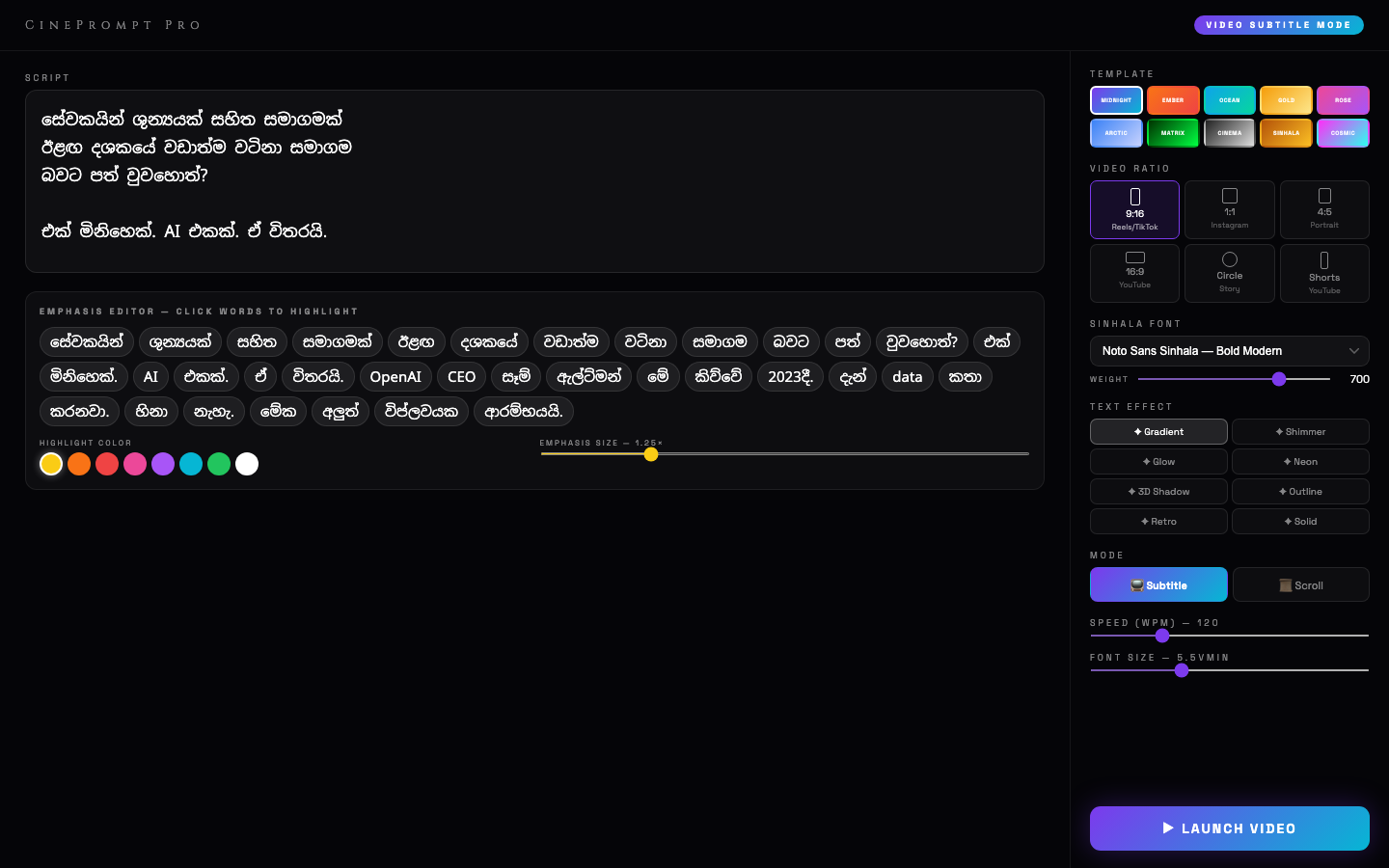
A surprising amount of my work comes back to one problem: Sinhala text on screens that weren't built for it. CinePrompt fights it in video. This post is about the smaller tools — a teleprompter, a lesson board and a typography studio — built for Sinhala lecturers, YouTubers and designers.
Sinhala Prompter Pro — one HTML file, no internet
Studio operators and lecturers often record where there's no reliable internet: a classroom, a temple hall, a field. A teleprompter that needs a server, a login or a CDN fails exactly when it's needed.
So Prompter Pro is a single, self-contained HTML file with zero dependencies. Copy it to an iPad, a Mac, a Windows laptop or an Android tablet, open it in a browser, and it works.
Features that matter on set
- Hardware mirroring. CSS3 transforms flip text horizontally (and vertically) for physical beam-splitter rigs with two-way glass.
- Smooth, adjustable scrolling with keyboard and remote-friendly controls.
- Phonetic Sinhala font support, so scripts typed in Singlish or Unicode both display correctly.
- Fullscreen canvas mode so nothing but the script is on the glass.
TuitionStudio PRO — a blackboard for recorded lessons
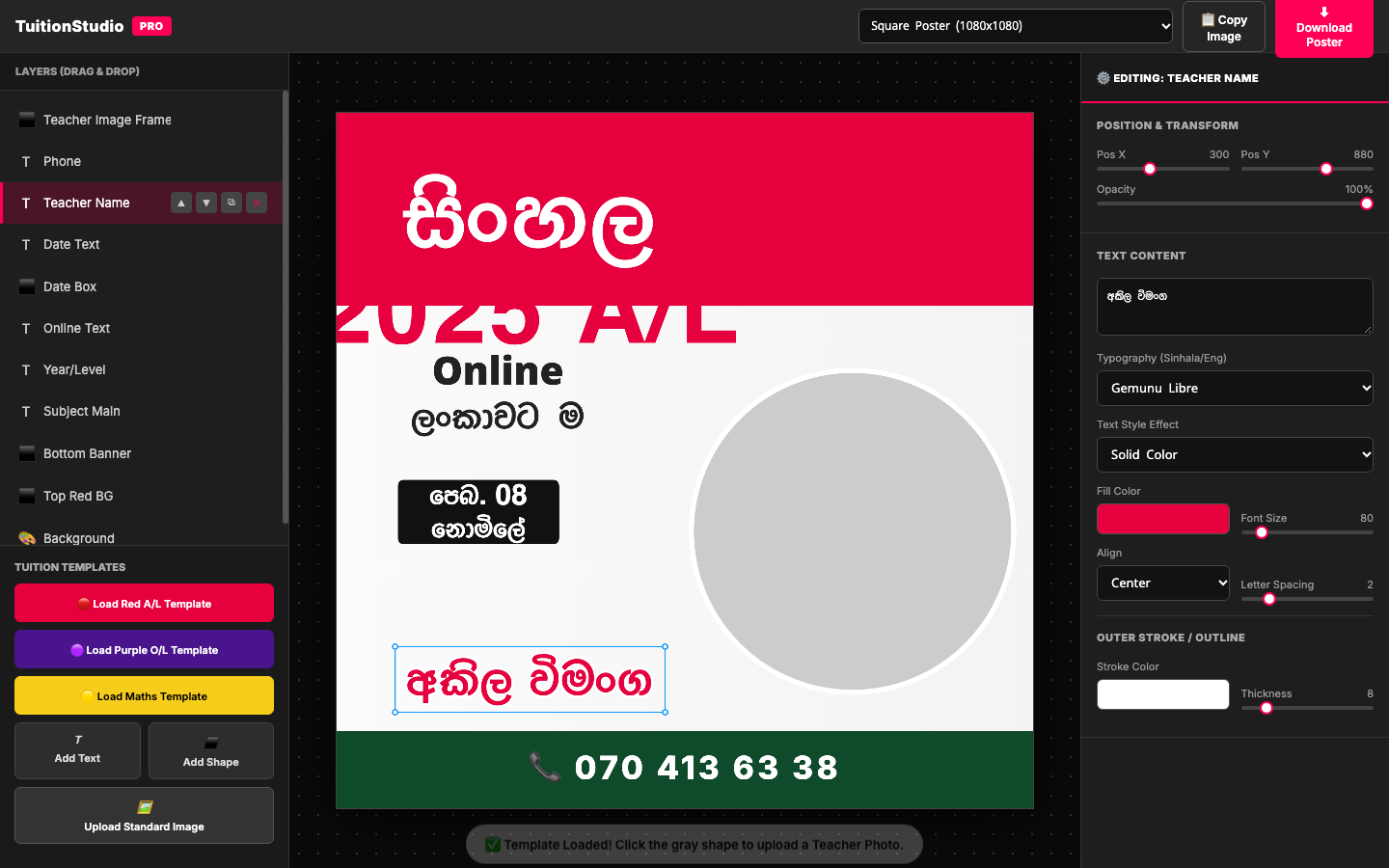
TuitionStudio is a digital blackboard for online tuition: write over slides, overlay a lesson outline, and record the screen in one place instead of juggling PowerPoint, a pen tool and OBS. It runs as a Vite/React app, with a Docker Compose setup for teachers who want it on a small school server.
Helakuru Studio — the hard part is encoding
The deepest of these tools is a Sinhala text studio. Type in Singlish or Unicode, set it in any of 285 fonts — including 270 legacy .ttf faces that predate Unicode — apply effects, and export a true vector SVG that needs no fonts installed.
Why that's hard: almost every Sinhala display font in circulation predates Unicode. Its glyphs live at plain ASCII code points (A–Z, a–z), not in the Unicode Sinhala block. Paste real Sinhala into one and the browser silently falls back to another font. Design tools therefore can't use them, and the designs can't leave the machine they were made on.
Two fixes:
- Encoding. Every text layer stores the Sinhala Unicode you typed and derives the bytes the currently selected font needs. Switching a layer to a legacy face re-encodes it to the FM ASCII layout automatically; switching back is lossless.
- Export. SVG export reads glyph outlines straight out of the
.ttfwith opentype.js and writes them as<path>data. The result renders identically anywhere, with no font required.
Fonts are filed on disk in per-family folders (apex/, fm/, dl/, …) and grouped the same way in the picker; every font is verified to render Sinhala correctly, and every row previews in that font, correctly encoded. There are 20 canvas presets across portrait, square, landscape and print, and resizing rescales text with the canvas. Exported PNGs and SVGs carry the design inside them, so reopening a picture gives you back the editable document.
An in-browser self-test (?selftest) checks layout, every effect × warp combination, SVG geometry against the canvas, PNG export and document round-tripping.
The pattern across all three
- Store meaning, derive presentation. Keep Unicode as the source of truth; compute whatever bytes, glyphs or transforms a particular output needs.
- Work offline. Creators in Sri Lanka record in places with bad connectivity. Single-file and local-first aren't nostalgia; they're requirements.
- Test the rendering, not just the logic. Text bugs are visual. The self-tests compare what's drawn.
Finished this one?
Progress is saved in this browser.