AI Network Labs
A learning ecosystem around cisco-pt-mcp
A free course, graded labs and a 40-device campus capstone built around cisco-pt-mcp — the open-source MCP server for Cisco Packet Tracer by Muhammad Balawal.
Overview
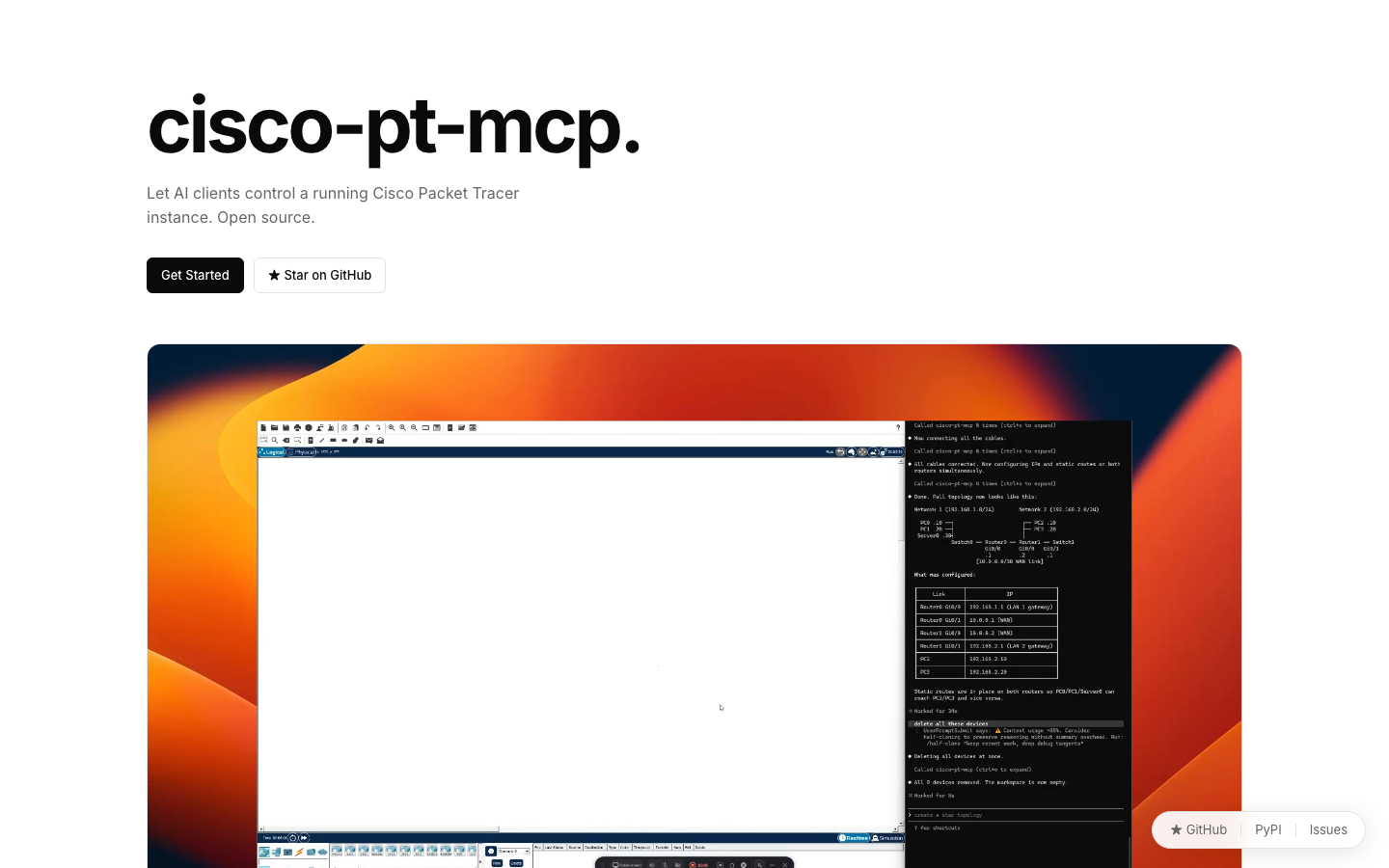
cisco-pt-mcp is an open-source Model Context Protocol server, written by Muhammad Balawal and released under the MIT licence, that lets AI clients such as Claude Code, Cursor, VS Code and Codex control a running Cisco Packet Tracer through 18 tools. I didn't build it and have no code in it. AI Network Labs is the learning ecosystem I built around it on this site: setup guides for every client, six graded labs that make the learner write the expected IOS before the AI types it, a bottom-up troubleshooting method, and a 40-device campus capstone based on my own networking assessment design.
Design decisions
The choices that shaped the system, and why.
- 1
Credit first, then build around it
A good tool already existed, so the useful work was the ecosystem around it — teaching material, labs and a method. Every lesson links to the author's repository and the PyPI package; nothing here claims the tool itself.
- 2
AI is the hands, not the brain
Each lab shows the prompt and the configuration the learner should expect, and asks for the IOS commands before they run. getCommandLog becomes the answer key. The AI removes the clicking, never the understanding.
- 3
Verification is explicit
No lab is finished until sendPdu and getPduResults prove a ping crossed the network, and show commands confirm the state. The model's own summary never counts as proof.
- 4
Build big networks in layers
The 40-device capstone is built core first, then each building, then the branches and wireless — verifying each layer and filing its command log with the addressing table before moving on.
Architecture
The tool: cisco-pt-mcp
Third-party MCP server started with `uvx cisco-pt-mcp`, plus a Packet Tracer extension that opens a local bridge window. 18 tools for topology, device control, inspection and simulation.
Setup & method
Lessons 00–02: installing uv, registering the server in four AI clients, the tool surface and the plan → build → configure → verify → inspect loop.
Six graded labs
Small office LAN, VLANs and router-on-a-stick, static routing, single- and multi-area OSPF, DHCP with extended ACLs, and break–fix troubleshooting.
Capstone: Cybernet Campus
Two five-floor buildings and three regional branches: 40 devices, VLSM from 10.128.0.0/11, multi-area OSPF (areas 0, 10, 20, 30), student Wi-Fi on two /21s and a five-case test plan.
DevOps & deployment
Nothing to host: learners run the author's package with uvx, which pulls it from PyPI on demand, and the bridge stays on localhost. The course ships as static pages with this portfolio.
How it ships · Local — uvx cisco-pt-mcp + Packet Tracer extension; course pages on this site
- 1Upstream author publishes cisco-pt-mcp releases to PyPI
- 2Learners run it on demand with uvx — nothing installed globally
- 3Bridge binds to 127.0.0.1 inside Packet Tracer
- 4Course and labs ship as static pages with the portfolio
Features
- Setup guides for Claude Code, Cursor, VS Code and Codex CLI, with a troubleshooting checklist for the bridge.
- Six graded labs, each with an addressing plan, the expected IOS configuration, a prompt and verification commands.
- A bottom-up troubleshooting method built on getNetwork, getDeviceInfo and getCommandLog.
- A 40-device campus capstone with VLSM, multi-area OSPF, wireless and a test plan.
Screenshots
Related writing
DevOps · 4 min
AI Network Labs 09 — Capstone: Cybernet Campus, 40 Devices
Two buildings and three branches: VLSM from 10.128.0.0/11, multi-area OSPF, student Wi-Fi and a five-case test plan — the campus design from my networking assessment, rebuilt as a cisco-pt-mcp lab.
19 Sept 2026
DevOps · 3 min
AI Network Labs 08 — Lab: Break–Fix Troubleshooting
Let the AI break a working network, then diagnose it bottom-up with getNetwork, getDeviceInfo, show commands and getCommandLog — without guessing.
18 Sept 2026
DevOps · 3 min
AI Network Labs 07 — Lab: DHCP Pools and Extended ACLs
Router-based DHCP with exclusions for two VLANs, then an extended ACL that allows ping but blocks everything else between departments.
17 Sept 2026
DevOps · 3 min
AI Network Labs 06 — Lab: Single- and Multi-Area OSPF
Replace static routes with OSPF, use passive interfaces and router IDs, then move a LAN into area 30 to see inter-area routes.
16 Sept 2026
